Free & open source · GPL-3.0 →

Rest your eyes.
Keep your flow.

Gentle break reminders that grow out of your MacBook's notch and wait for the right moment. Your eyes rest. Your focus stays.

Free · macOS 26 or later · Apple silicon and Intel

Breather · NotchView.swift
struct NotchView: View {
  let app: AppModel
 
  var body: some View {
    VStack(spacing: 0) {
      island
        .padding(.top, 8)
1:00
Eye break soon
20 seconds · waits for a pause
0:58
Start now+1 min+5 minSkip
Look away
Short break
3
9:41 AM
SHORT BREAK
0:20
Breathe in
Roll your shoulders and breathe out.
+1 min+5 minSkip

You're in the flow.

Designed around how you work.

Most break apps interrupt you. Breather waits for you.

01

A heads-up, not an interruption.

A minute before each break, a quiet card grows out of the notch. Start now, snooze, or skip.

02

It waits for the right moment.

On a call, watching a video, presenting or mid-sentence? Your break waits until you're done.

03

Time away counts.

Step away from your Mac and it counts as a break. No nagging the moment you sit back down.

Everything you need. Nothing you don't.

Your rhythm

20-20-20 by default, long breaks, office hours and planned breaks like lunch.

Gentle reminders

Drink water, fix your posture, blink, stand up. Counted on real screen time.

Beautiful breaks

Full-screen and calm, on every display. Make them look exactly how you like.

Screen Score

A daily score, screen time and your longest stretch. All stored on your Mac.

Profiles

Everyday, Deep Work, Gentle. Switch by hand or automatically by app.

Automations

Run Shortcuts and scripts when breaks start and end. Keyboard shortcuts too.

Open source

Free forever.
Open by design.

Breather is free software under the GPL-3.0. Read every line, build it yourself, or help shape what comes next. No account. No tracking. No ads.

  • 0trackers, ads or accounts in the app
  • 100%of your data stays on your Mac
  • GPL-3.0free software, built in the open
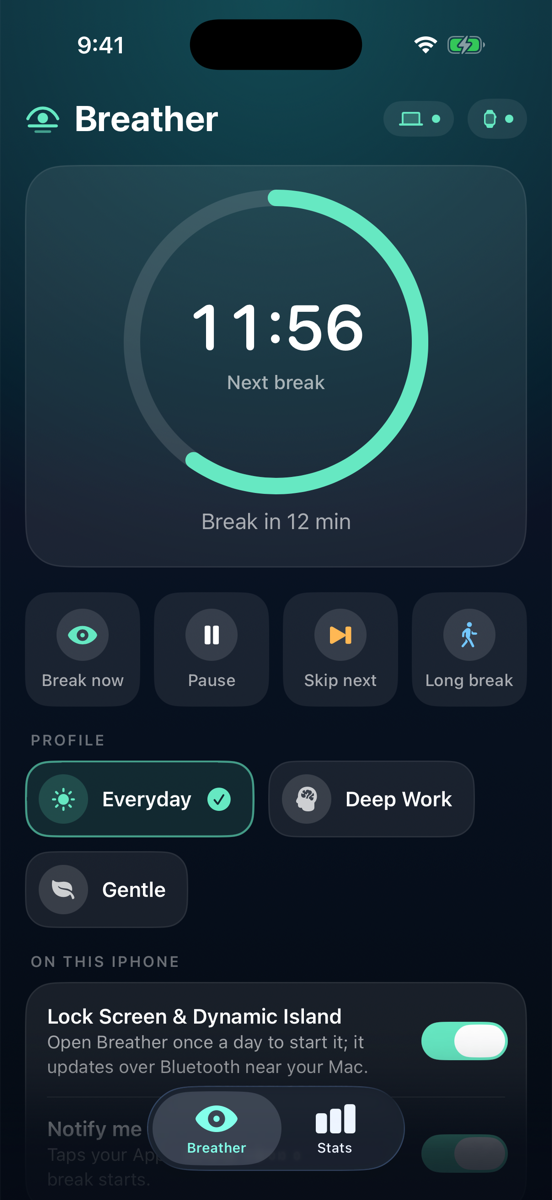
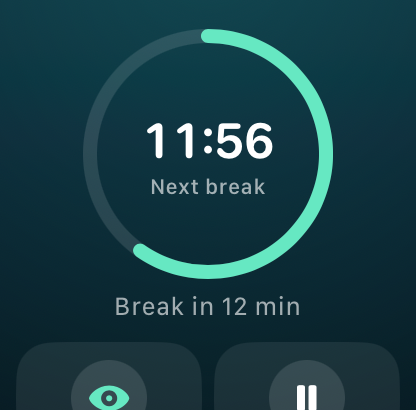
Breather on iPhone Breather on Apple Watch
Companion apps

Better with iPhone and Apple Watch.

Pair your iPhone to see each break on the Lock Screen and in the Dynamic Island. Your Apple Watch taps your wrist when it's time to look away.

The companion apps are in beta. Build them from source today.
Questions, answered.

Is Breather really free?

Yes. It's free and open source under the GNU GPL v3.0. No trials, no subscriptions, no accounts.

Which Macs does it run on?

Any Mac on macOS 26 Tahoe or later, including macOS 27, with Apple silicon or Intel. On Macs without a notch, alerts appear as a floating pill under the menu bar.

Why does macOS ask me to approve it?

Breather isn't notarized by Apple yet, because that needs a paid developer account. Homebrew and the one-line installer handle it for you. With the DMG, approve it once in Privacy & Security. See the steps.

Is it safe to approve an app Apple didn't check?

Only approve apps you trust. Breather's full source is on GitHub, every release is built there by GitHub Actions from the tagged code, and each release lists SHA-256 checksums you can verify.

Does Breather collect my data?

No. The app has no accounts, no analytics and no ads. Your stats stay on your Mac. The only network request is an optional daily check for new versions on GitHub.

Will it interrupt my calls or presentations?

No. Breaks wait while your mic or camera is on, while a video plays, while you share your screen or present, and while you're typing. You choose which of these count.

How do I update?

Breather tells you in the notch when a new version is out. With Homebrew, run brew upgrade --cask breather. Otherwise run the one-line installer again or download the new DMG.

“Breather is damaged and can't be opened”

That's macOS's message for apps that aren't notarized, not real damage. Run xattr -dr com.apple.quarantine /Applications/Breather.app, or reinstall with Homebrew or the one-line installer.

Is there an iPhone or Apple Watch app?

Yes, in beta. Breaks show on your Lock Screen and in the Dynamic Island, and your Watch taps your wrist. Build them from source for now.

How do I uninstall?

Quit Breather from the menu bar and move it to the Bin. With Homebrew, run brew uninstall --zap --cask breather to remove its data too.

Your eyes will thank you.

Free for macOS 26 and later. Apple silicon and Intel.

$brew install --cask jals413/tap/breather

Opening it for the first time? macOS asks you to approve it once. Here's how.